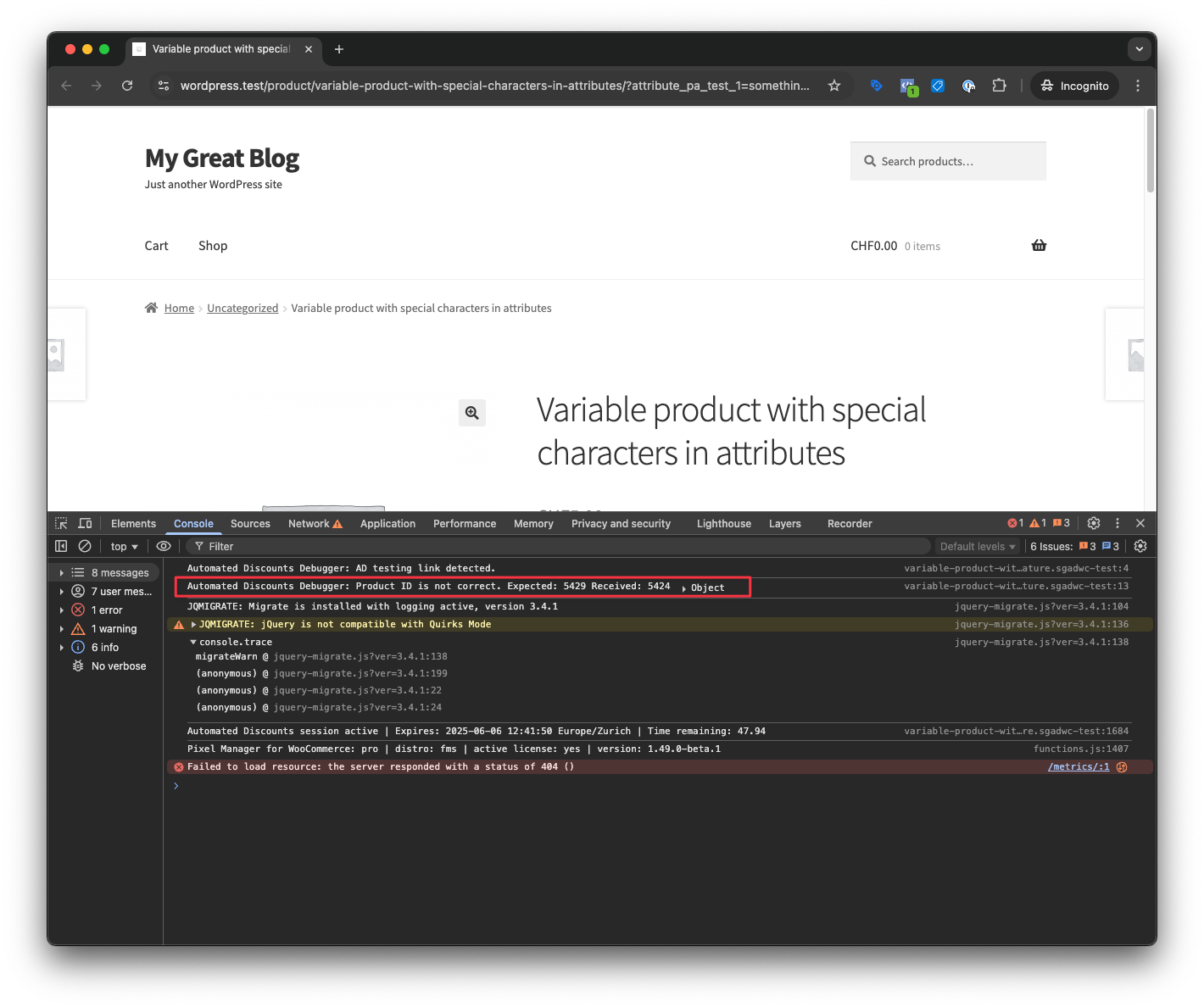
Testing
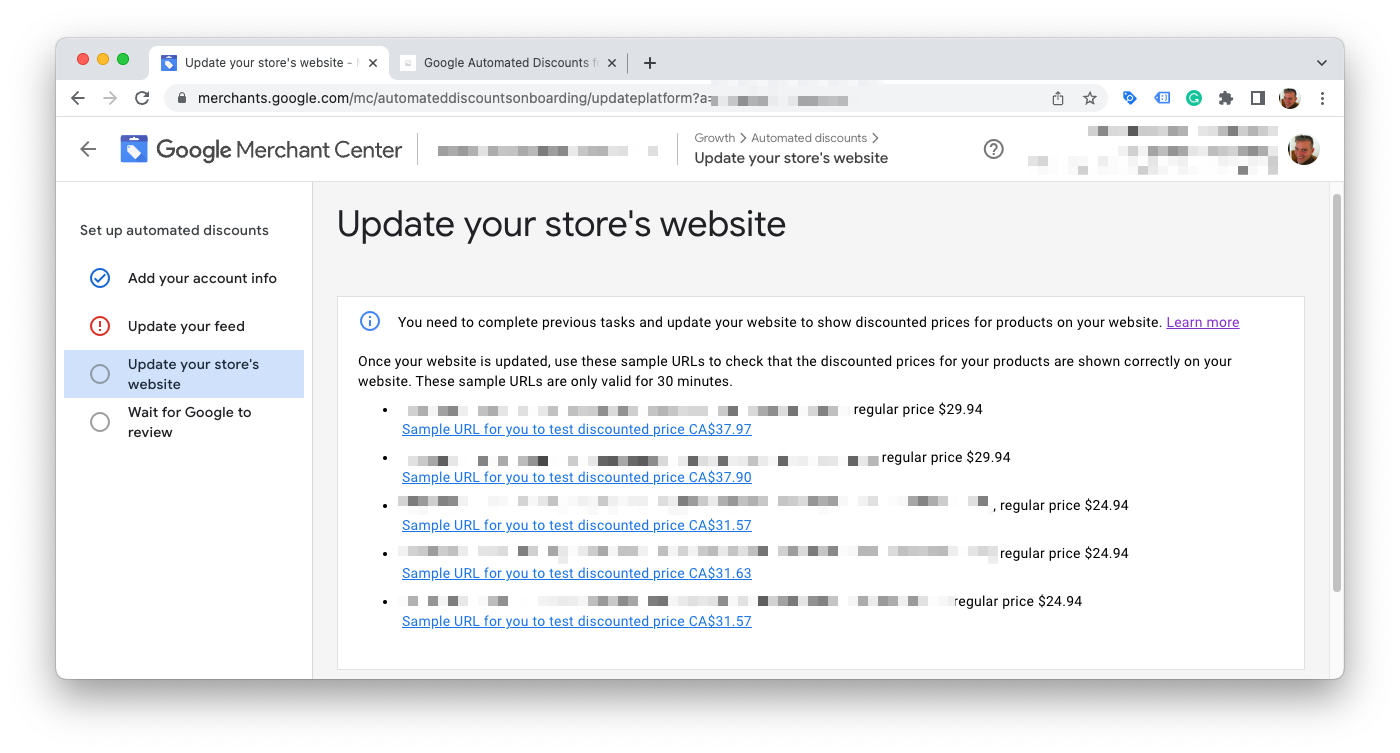
Google's Testing Procedure
Google will guide you through the setup step-by-step. At one point, it will generate links with which you can test and see if automated discounts work on your website.
Set product IDs to test
The plugin also provides automatic testing links, with randomly generated discounted prices. You can find them in the plugin settings.
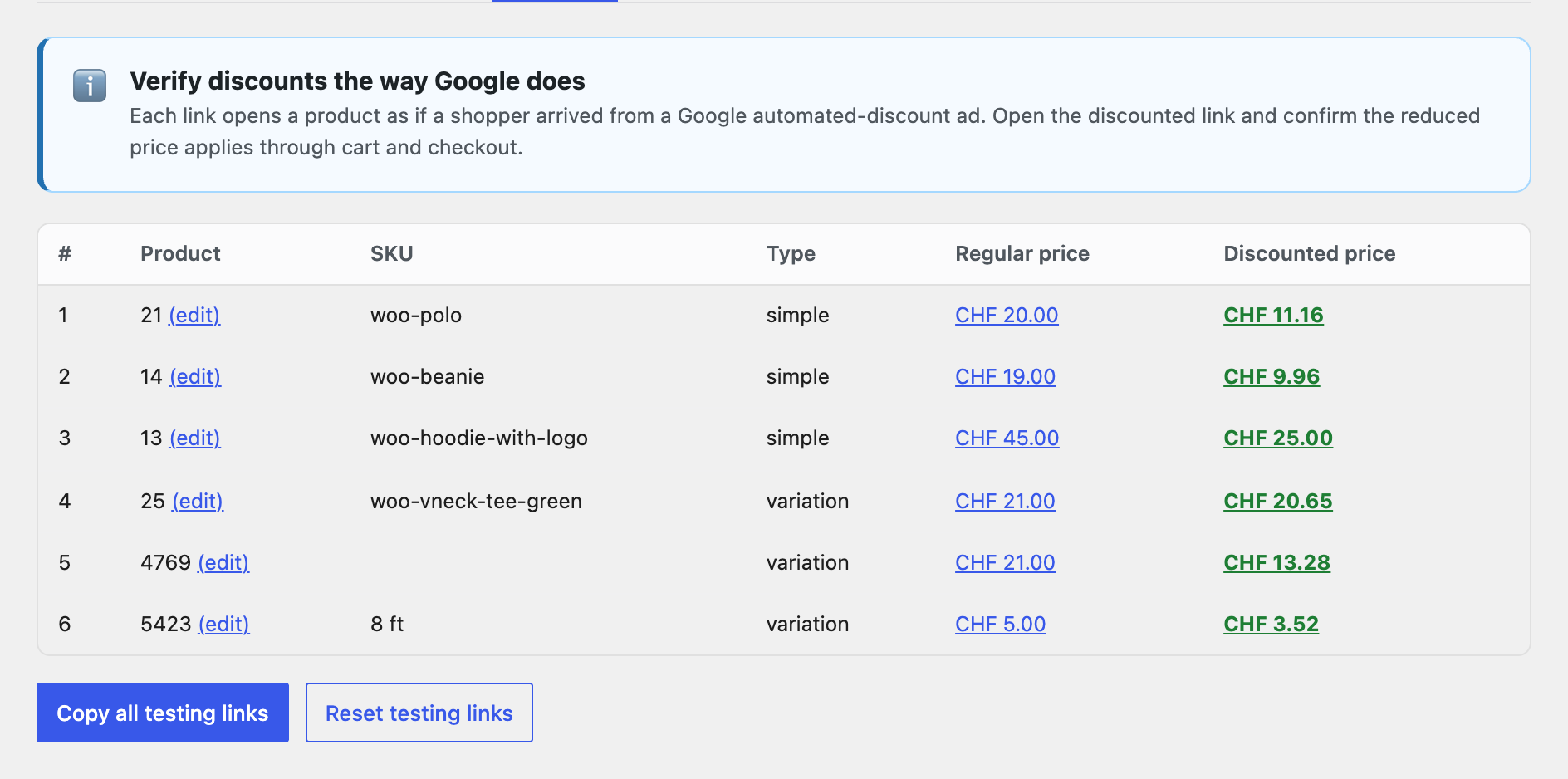
Visits through the plugin's testing links are not counted as clicks in the plugin's statistics, so the Dashboard and the Statistics tab stay at zero if you have only used testing links. An order you place after opening a testing link is counted as an order in a discount session. See The statistics show no clicks for what the counters include.
For variable products the plugin prefers variations that a shopper can actually select on the product page, because a variation that no dropdown offers can never display a price, discounted or not. If a link points at a variation that cannot be selected, the row is flagged with a Not selectable on the front end note explaining which attribute value is missing. Fix the product data first, then reset the testing links. See A variable product shows no price at all for the full walkthrough.
Use the following filter to set the specific product IDs that you want to test.
add_filter( 'sgadwc_testing_product_ids', function ($product_ids) {

	$product_ids[] = 123; // Add your product IDs here
	$product_ids[] = 456;
	$product_ids[] = 789;

	return $product_ids;
} );
Console Debug Messages
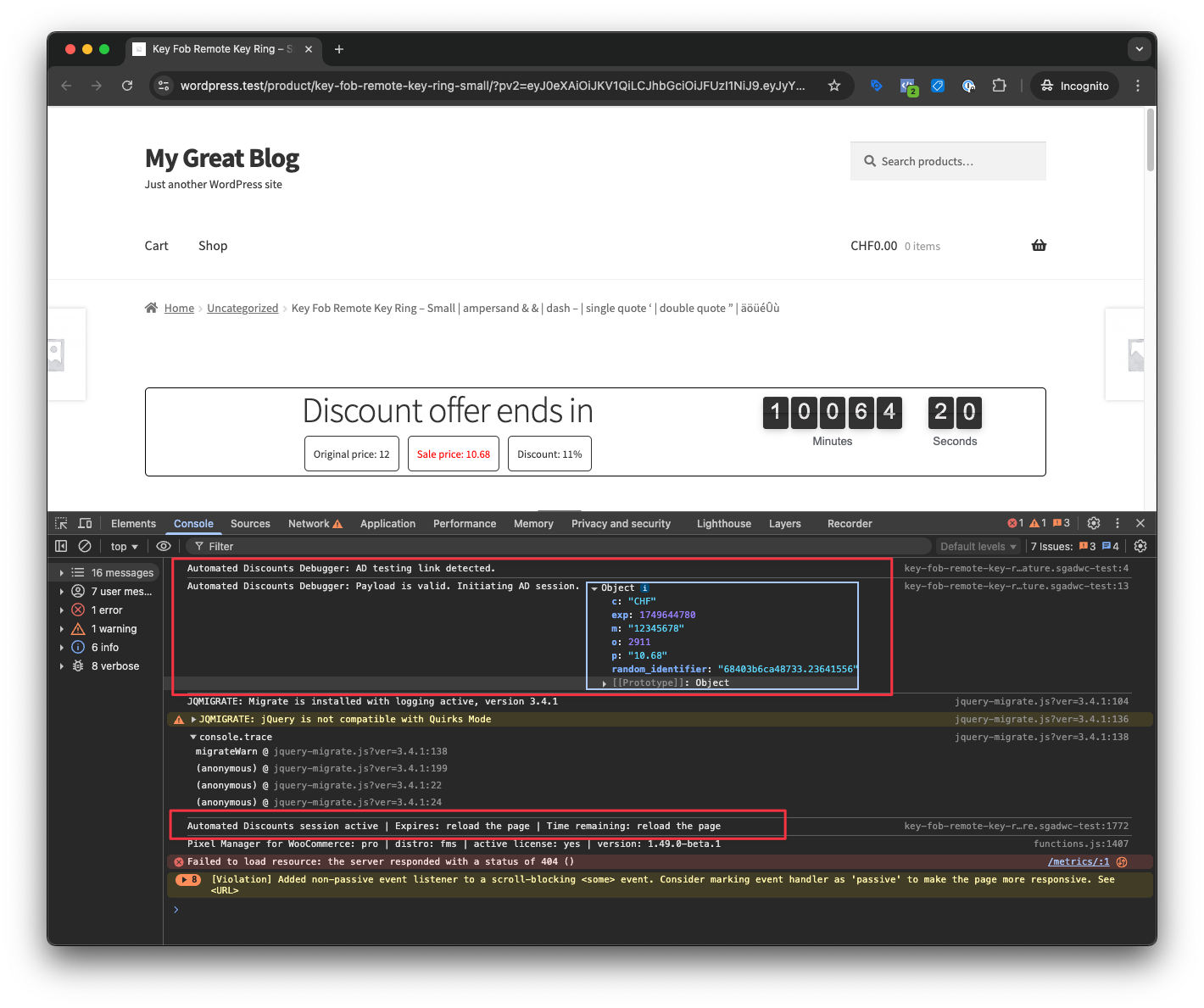
When testing with the internal testing links, you can see debug messages in the browser console. This will help you understand what is happening behind the scenes.
It will show information if the Automated Discount session could be started and the payload that is processed.
It will also show error details if something goes wrong, such as when the product ID is not found.